June Sale is Live— 25% off all live cohorts

Get ahead with your career. Lock in 2026 cohorts at last year's prices — offer ends soon!

4d23h47m12s
SkillCertified — Get AheadSkillCertified
Microsoft Authorized

20412D: Configuring Advanced Windows Server® 2012 Services

15,19,20,21,22

  • Throughout exam preparation and full pre and post course support
  • Fully accredited as a Microsoft partner
  • Superlative tools and techniques are used in our training methods

Group Enrollment with Friends or Colleagues | Get a quote

20412D: Configuring Advanced Windows Server® 2012 Services training context photo
4.3

3 Ratings

11.4K

Learners

Official Training Partner

Microsoft

Course Overview

20412D: Configuring Advanced Windows Server® 2012 Services Course Overview

Get hands-on instruction and practice configuring advanced Windows Server 2012, including Windows Server 2012 R2, services in this five-day Microsoft Official Course. This course is part three in a series of three courses that provides the skills and knowledge necessary to implement a core Windows Server 2012 infrastructure in an existing enterprise environment.

The three courses collectively cover implementing, managing, maintaining and provisioning services and infrastructure in a Windows Server 2012 environment. Although there is some cross-over of skills and tasks across these courses, this course focuses on advanced configuration of services necessary to deploy, manage and maintain a Windows Server 2012 infrastructure, such as advanced networking services, Active Directory Domain Services (AD DS), Active Directory Rights Management Services (AD RMS), Active Directory Federation Services (AD FS), Network Load Balancing, Failover Clustering, business continuity and disaster recovery services as well as access and information provisioning and protection technologies such as Dynamic Access Control (DAC), and Web Application Proxy integration with AD FS and Workplace Join.

This course maps directly to and is the preferred choice for hands-on preparation for Microsoft Certified Solutions Associate (MCSA): Exam 412: Configuring Advanced Windows Server 2012 Services, which is the third of three exams required for MCSA: Windows Server 2012 credential.

Note: Labs in this course are based on Windows Server 2012 R2 and Windows 8.1.

20412D: Configuring Advanced Windows Server® 2012 Services Course Key Features

100% Money Back Guarantee
  • Official courseware + exam voucher included
  • Live online + classroom format options
  • Hands-on labs and real-world case studies
  • Simulation tests at the end of training
  • Up-to-date curriculum aligned to the latest exam version
  • Includes 5 mock exams, 150 questions each
  • 24×7 learner assistance and support
  • 30-day re-attendance guarantee

Skills Covered

  • Risk management & governance
  • Identity and access management
  • Security architecture & engineering
  • Communication and network security
  • Asset security
  • Security assessment & testing
  • Security operations
  • Software development security

Next Cohort Starts On 30 Jun

Days
--
Hours
--
Minutes
--
Seconds
--
Inquiry for

By submitting this form, you consent to our Terms and Privacy Policy and to be contacted via email/call/WhatsApp.

View Schedules

Your info stays with us.

Corporate Training

Enterprise training for teams — private cohorts, custom curriculum, L&D reporting.

Explore corporate plans

Benefits

Why this certification pays off

Certified professionals in this domain are in active demand across IT services, banking, and government. Click a designation to see the salary range and the companies hiring most actively for that role.

Designation

Annual Salary (USD)

$95,000Min$158,000Average$230,000Max

Source: Glassdoor (indicative)

Hiring Companies

  • IBM
  • Vodafone
  • Cisco
  • Accenture
  • Deloitte
  • TCS

Source: Indeed

Training Options

Pick the format that fits your week

Three ways to take this course — all include official courseware, hands-on labs, and full certification support.

  • Preferred
    Online Bootcamp

    Live Instructor-Led

    Live cohort over Zoom/Teams.

    • Flexi Pass: reschedule within 90 days
    • Live online classes recorded for later review
    • Includes self-paced e-learning content
    • 24×7 learner assistance and support
    • Aligned to the latest exam version

    Batch starting from

    • 30 Jun 2026, Weekday Class
    • 21 Jul 2026, Weekend Class
    View all schedules
    25% Off
    $1,499$1,999
    Enroll Now
  • Classroom Batch

    In-Person Cohort

    Full-day immersive training at our hubs.

    • Eight hours daily, in-person delivery
    • Available in Dubai, Delhi, Mumbai, London, Singapore
    • Printed manuals + exam vouchers included
    • Lunch, refreshments, hotel pickup at partner hubs
    • Exam can be booked onsite at partner test centres

    Batch starting from

    • 30 Jun 2026, Classroom Batch (Dubai)
    • 21 Jul 2026, Classroom Batch (Delhi)
    View all schedules
    17% Off
    $2,499$2,999
    Enroll Now
  • Corporate Training

    Private Team Cohort

    Upskill or reskill your team — on-site, online, or hybrid.

    • Blended delivery — self-paced + live + on-site
    • Custom curriculum tailored to your tech stack
    • Enterprise-grade LMS integration (SCORM / xAPI)
    • Dashboards for L&D leaders + per-team reporting
    • NDA-friendly, procurement-ready

    Pricing

    Custom Quote

    Volume discounts at any seat count.

    Contact Us

Curriculum

Course Curriculum

Eligibility, prerequisites, and a module-by-module breakdown of what you'll cover.

Eligibility

Designed for working professionals with foundational experience in the discipline. A post-secondary degree in computer science, IT, business, or related fields may substitute for up to one year of experience. Part-time work, internships, or relevant certifications can also count toward the requirement.

Pre-requisites

Full-time experience: accrued monthly. A minimum of 35 hours per week for four weeks = one month of work experience.

Part-time experience: 20–34 hours per week. 1040 hours = 6 months of full-time equivalent; 2080 hours = 12 months.

Internships: paid or unpaid, with letterhead documentation, count toward the experience requirement.

Course modules

Click any module to expand the key topics covered.

Module 01 — Introduction & Foundations

Course overview, key terminology, and the foundational concepts every subsequent module builds on.

Key topics

  • Domain overview
  • Core terminology
  • Industry context
  • Career pathways
Module 02 — Core Frameworks & Standards

The governing frameworks, methodologies, and industry standards that define professional practice.

Key topics

  • Major frameworks
  • Industry standards
  • Compliance landscape
  • Best-practice checklists
Module 03 — Tooling & Hands-on Labs

The tools, platforms, and lab environments you'll use during and after the course.

Key topics

  • Tool overview
  • Lab environment setup
  • Common workflows
  • Troubleshooting basics
Module 04 — Real-world Application

Case studies, real client scenarios, and pattern recognition for the situations you'll actually face.

Key topics

  • Case studies
  • Client scenarios
  • Pattern recognition
  • Decision frameworks
Module 05 — Assessment & Quality

How professionals in this domain assess, validate, and report on the quality of their work.

Key topics

  • Assessment techniques
  • Quality control
  • Reporting standards
  • Stakeholder updates
Module 06 — Exam Preparation & Beyond

Targeted exam-prep, mock tests, and the post-certification roadmap for career advancement.

Key topics

  • Exam patterns + tips
  • Full-length mock exams
  • Post-cert career paths
  • Continuing professional development

Exam & Certification

How the official exam works

After course completion, your training advisor helps you schedule the official certification exam — booking the test centre, sending practice mock exams, and supplying the exam voucher at partner pricing where applicable. Pass on first attempt and you'll receive both the official vendor certificate and your SkillCertified completion certificate.

  • Exam duration

    3–6 hours

  • Questions

    100–150

  • Passing score

    70%+

  • Validity

    3 years

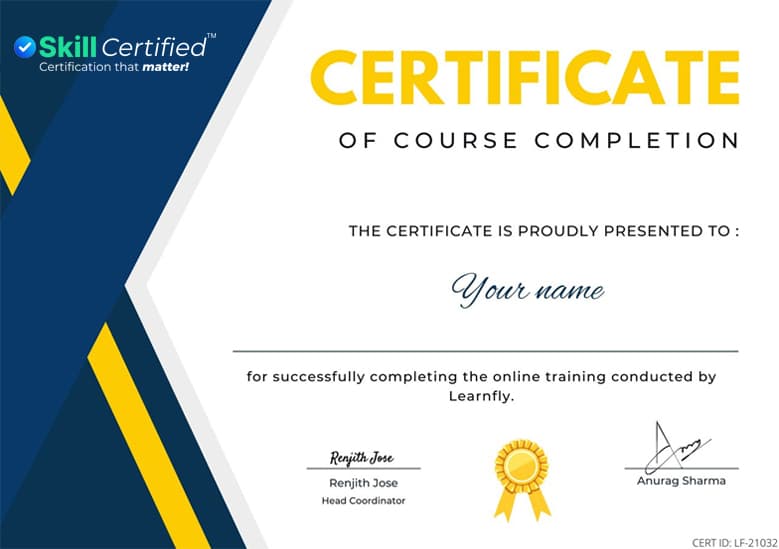
Sample SkillCertified Certificate of Course Completion

Sample SkillCertified certificate of completion

Get in touch

Still have questions about 20412D: Configuring Advanced Windows Server® 2012 Services?

Tell us a bit about yourself — an advisor will reach out within one business hour with answers, schedules, and any group-pricing options.

  • 1-hour response promise
  • Real humans, not chatbots
  • No-obligation consultation

Request More Information

Inquiry for

By submitting this form, you consent to our Terms and Privacy Policy.

Your info stays with us. No spam.

What our learners say

US

My instructor was an excellent person, he took special effort to ensure that the subject matter is delivered effectively to the trainees. He gave us live examples and the end of the training process I was completely satisfied.

Eric Lombardo

IN

They have very well established their remote learning techniques. The instructors genuinely care about the students and pay full attention to their queries. They also have a good response time and I thus share a good feedback about my experience out there. I am in touch with them even after completion of my training and to my surprise, they are still as, supportive as they were at the time of my course training.

Mani Arora

AE

My instructor was very clear in explaining all the topics and delivered it in the best possible way. I would like to recommend Learnfly, as it the best learning portal on the market today. The training that they provided was beyond my expectation. I was able to settle well financially and experience the journey of wonderful training.

Vijay Pundir

Frequently asked questions

What examination do I need to take for Windows Server 2012 Exam (70-411) course?

Students need to pass the exam in order to complete the course. The exam is not included.

Where can I take a Configuring Advanced Windows Server 2012 Services training course?

With Learnfly, we make it easy for you to take training under guidance of experienced trainers.

What are the pre-requisites for Installing and Configuring Windows Server 2012 (M20410)?
  • An understanding of networking fundamentals.
  • An understanding of basic AD DS concepts.
  • An awareness and understanding of security best practices.
  • Basic knowledge of server hardware.
  • Experience working with, and configuring, Windows client operating systems, such as Windows 7 or Windows 8.
Where can I take Installing and Configuring Windows Server course?

We easily conduct sessions for you at Learnfly. We have wide range of courses from which you can refer.

Are the courses accredited?

Yes, we are a partner of Microsoft and all our courses are accredited