June Sale is Live— 25% off all live cohorts

Get ahead with your career. Lock in 2026 cohorts at last year's prices — offer ends soon!

5d04h18m20s
SkillCertified — Get AheadSkillCertified
Microsoft Authorized

20687D: Configuring Windows® 8.1

15,19,20,21,22

  • Experience finest training to learn and execute your skills
  • Helping you to accomplish your goals while delivering quality content
  • Finest training with creative and innovative ideas

Group Enrollment with Friends or Colleagues | Get a quote

20687D: Configuring Windows® 8.1 training context photo
4.6

4,371 Ratings

11.4K

Learners

Official Training Partner

Microsoft

Course Overview

20687D: Configuring Windows® 8.1 Course Overview

Get expert instruction and hands-on practice administering and configuring Windows 8.1 in this 5-day Microsoft Official Course. This course is designed for experienced IT professionals who have knowledge and experience administering Windows PCs and devices in a domain environment with managed access to the Internet. You will learn the skills you need to administer Windows 8.1 in a Windows Server domain environment and also provide secure, managed access to users from their non-domain joined Windows devices. You will learn how to install and customize Windows 8.1 operating systems and apps, integrate and control access to domains and cloud services, and migrate and synchronize settings across multiple devices. In addition, you will learn how to implement mobile security and customize configurations using Windows management tools including Group Policy and Windows PowerShell cmdlets. You will also learn how to configure user settings and profiles, local and remote network connectivity, Client Hyper-V, virtual apps, and Internet Explorer 11. Finally, you will learn how to optimize security and provide controlled access from Windows 8.1 PCs and devices to specified resources through Workplace Join services and Work Folders. This course is also designed to prepare certification candidates for Exam 70-687, Configuring Windows 8.1. As part of the learning experience, you will perform hands-on exercises in a virtual lab environment. NOTE: This course is based on Windows 8.1 Enterprise Edition with domain services provided by Windows Server 2012 R2.

20687D: Configuring Windows® 8.1 Course Key Features

100% Money Back Guarantee
  • Official courseware + exam voucher included
  • Live online + classroom format options
  • Hands-on labs and real-world case studies
  • Simulation tests at the end of training
  • Up-to-date curriculum aligned to the latest exam version
  • Includes 5 mock exams, 150 questions each
  • 24×7 learner assistance and support
  • 30-day re-attendance guarantee

Skills Covered

  • Risk management & governance
  • Identity and access management
  • Security architecture & engineering
  • Communication and network security
  • Asset security
  • Security assessment & testing
  • Security operations
  • Software development security

Next Cohort Starts On 30 Jun

Days
--
Hours
--
Minutes
--
Seconds
--
Inquiry for

By submitting this form, you consent to our Terms and Privacy Policy and to be contacted via email/call/WhatsApp.

View Schedules

Your info stays with us.

Corporate Training

Enterprise training for teams — private cohorts, custom curriculum, L&D reporting.

Explore corporate plans

Benefits

Why this certification pays off

Certified professionals in this domain are in active demand across IT services, banking, and government. Click a designation to see the salary range and the companies hiring most actively for that role.

Designation

Annual Salary (USD)

$95,000Min$158,000Average$230,000Max

Source: Glassdoor (indicative)

Hiring Companies

  • IBM
  • Vodafone
  • Cisco
  • Accenture
  • Deloitte
  • TCS

Source: Indeed

Training Options

Pick the format that fits your week

Three ways to take this course — all include official courseware, hands-on labs, and full certification support.

  • Preferred
    Online Bootcamp

    Live Instructor-Led

    Live cohort over Zoom/Teams.

    • Flexi Pass: reschedule within 90 days
    • Live online classes recorded for later review
    • Includes self-paced e-learning content
    • 24×7 learner assistance and support
    • Aligned to the latest exam version

    Batch starting from

    • 30 Jun 2026, Weekday Class
    • 21 Jul 2026, Weekend Class
    View all schedules
    25% Off
    $1,499$1,999
    Enroll Now
  • Classroom Batch

    In-Person Cohort

    Full-day immersive training at our hubs.

    • Eight hours daily, in-person delivery
    • Available in Dubai, Delhi, Mumbai, London, Singapore
    • Printed manuals + exam vouchers included
    • Lunch, refreshments, hotel pickup at partner hubs
    • Exam can be booked onsite at partner test centres

    Batch starting from

    • 30 Jun 2026, Classroom Batch (Dubai)
    • 21 Jul 2026, Classroom Batch (Delhi)
    View all schedules
    17% Off
    $2,499$2,999
    Enroll Now
  • Corporate Training

    Private Team Cohort

    Upskill or reskill your team — on-site, online, or hybrid.

    • Blended delivery — self-paced + live + on-site
    • Custom curriculum tailored to your tech stack
    • Enterprise-grade LMS integration (SCORM / xAPI)
    • Dashboards for L&D leaders + per-team reporting
    • NDA-friendly, procurement-ready

    Pricing

    Custom Quote

    Volume discounts at any seat count.

    Contact Us

Curriculum

Course Curriculum

Eligibility, prerequisites, and a module-by-module breakdown of what you'll cover.

Eligibility

Designed for working professionals with foundational experience in the discipline. A post-secondary degree in computer science, IT, business, or related fields may substitute for up to one year of experience. Part-time work, internships, or relevant certifications can also count toward the requirement.

Pre-requisites

Full-time experience: accrued monthly. A minimum of 35 hours per week for four weeks = one month of work experience.

Part-time experience: 20–34 hours per week. 1040 hours = 6 months of full-time equivalent; 2080 hours = 12 months.

Internships: paid or unpaid, with letterhead documentation, count toward the experience requirement.

Course modules

Click any module to expand the key topics covered.

Module 01 — Introduction & Foundations

Course overview, key terminology, and the foundational concepts every subsequent module builds on.

Key topics

  • Domain overview
  • Core terminology
  • Industry context
  • Career pathways
Module 02 — Core Frameworks & Standards

The governing frameworks, methodologies, and industry standards that define professional practice.

Key topics

  • Major frameworks
  • Industry standards
  • Compliance landscape
  • Best-practice checklists
Module 03 — Tooling & Hands-on Labs

The tools, platforms, and lab environments you'll use during and after the course.

Key topics

  • Tool overview
  • Lab environment setup
  • Common workflows
  • Troubleshooting basics
Module 04 — Real-world Application

Case studies, real client scenarios, and pattern recognition for the situations you'll actually face.

Key topics

  • Case studies
  • Client scenarios
  • Pattern recognition
  • Decision frameworks
Module 05 — Assessment & Quality

How professionals in this domain assess, validate, and report on the quality of their work.

Key topics

  • Assessment techniques
  • Quality control
  • Reporting standards
  • Stakeholder updates
Module 06 — Exam Preparation & Beyond

Targeted exam-prep, mock tests, and the post-certification roadmap for career advancement.

Key topics

  • Exam patterns + tips
  • Full-length mock exams
  • Post-cert career paths
  • Continuing professional development

Exam & Certification

How the official exam works

After course completion, your training advisor helps you schedule the official certification exam — booking the test centre, sending practice mock exams, and supplying the exam voucher at partner pricing where applicable. Pass on first attempt and you'll receive both the official vendor certificate and your SkillCertified completion certificate.

  • Exam duration

    3–6 hours

  • Questions

    100–150

  • Passing score

    70%+

  • Validity

    3 years

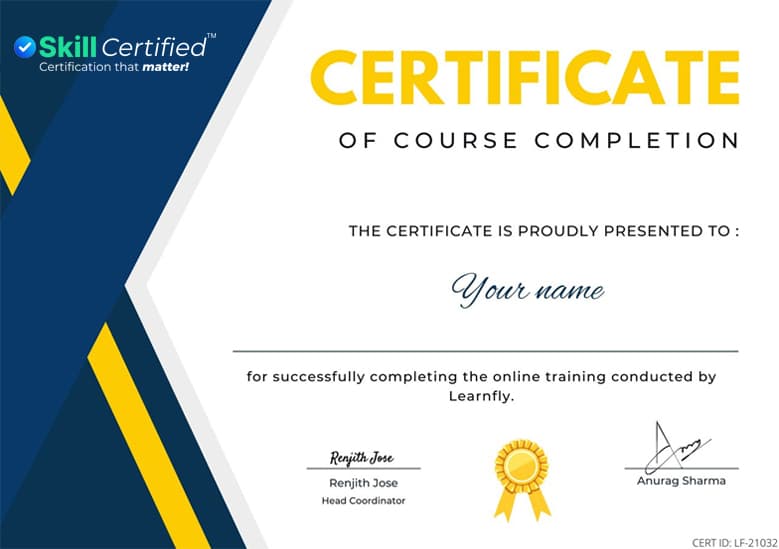
Sample SkillCertified Certificate of Course Completion

Sample SkillCertified certificate of completion

Get in touch

Still have questions about 20687D: Configuring Windows® 8.1?

Tell us a bit about yourself — an advisor will reach out within one business hour with answers, schedules, and any group-pricing options.

  • 1-hour response promise
  • Real humans, not chatbots
  • No-obligation consultation

Request More Information

Inquiry for

By submitting this form, you consent to our Terms and Privacy Policy.

Your info stays with us. No spam.

Frequently asked questions

How can one become a Microsoft certified professional?

The very first step of becoming a Microsoft Certified Professional includes the basic knowledge of computer skills. Individuals seeking a Microsoft Certification must be proficient in basic computer skills.

Further, one needs to get enrolled in Microsoft Office Courses by choosing a certification program as per your skills and interests. After completing the certification course, one needs to appear for the respective certification exam. Once you cleared the exam, you are Microsoft Certified.

Do you offer online training solutions for Microsoft certification trainings?

Yes, we do provide online training. We have a variety of training methods which provide the flexibility to pursue the respective Microsoft Certification training as per your requirements.

The training methods include instructor-led online training, on-site training, dedicated 1-on-1 training, classroom training and more.

Are the instructors qualified enough to conduct the Microsoft Certification training?

Learnfly incorporates a team of Microsoft certified expert professional trainers who have validated expertise on Microsoft technologies while maintaining the necessary instructional skill set demanded in today’s learning environment for information technology (IT). These expert trainers qualify Microsoft’s high standards for delivering Microsoft training.

What are the prerequisites of pursuing Microsoft Windows 8?

There are certain prerequisites which one needs to qualify prior pursuing Microsoft Windows 8 training.

  • One should hold at least two years of experience in the field of IT.
  • One should have appropriate knowledge of networking fundamentals covering Transmission Control Protocol /Internet Protocol (TCP/IP), User Datagram Protocol (UDP), and Domain Name System (DNS).
  • One should have good knowledge of Microsoft Active Directory Domain Services (AD DS).
  • One should be proficient in principles and fundamentals of AD DS management.
  • One should hold good understanding of the certificate security.
  • One should have working knowledge of the fundamentals of Active Directory Certificate Services (AD CS).
  • One should hold good understanding of Windows Server 2008 R2 or Windows Server 2012 fundamentals.
  • One should hold good understanding of Microsoft Windows Client essentials.
  • One should have the basic understanding of Windows PowerShell syntax.
  • One should have the basic awareness of Windows deployment tools.
What does Microsoft Windows 8 Course provide me?

Microsoft Windows 8 Course aims to bestow a strong foundation to the configuration skills for Enterprise Desktop/Device Support Technicians (EDSTs). It gives Tier 2 support to users who work with Windows desktops and devices within a Windows domain environment regardless of the size of the enterprise organizations.

Who can apply for Microsoft Windows 8 Course?

The intended audience for Microsoft Windows 8 Course primarily remains the IT professionals who can administer and support Windows 8.1 PCs, devices, users, and associated network & security resources.